
An Escape Room Invite for an Escape Room Birthday
My kid’s birthday party this year was at an escape room. Which meant the invite pretty much had to be an escape room too.
So instead of an Evite, families got a link in WhatsApp. Tapping it drops you at the bottom of a locked castle tower. Five enchanted locks later, the door swings open, a glowing letter floats out, and that’s the invitation, with an RSVP form underneath that writes straight into my Google Sheet.
This post is a tour of what it looks like and how it’s put together. All the screenshots use the repo’s placeholder party (“Alex’s 9th birthday at Example Escape Rooms”). The real details never touched the repo, which turned out to be one of the more interesting design constraints.
The pitch
The design doc I wrote before any code opens with this line, and it’s still my favourite part of it:
The invite should feel like the start of the party, not a form.
A parent taps the link, the kid (who’s usually sitting right next to them) plays a ~3 minute puzzle game, and the reward for escaping is the invite. Parents who just want the date and address can skip straight to it from any screen.
I also wrote down a few anti-goals, things that would count as failure even if everything technically worked:
- A kid gets stuck or feels stupid. No timers, no lives, no fail state. Wrong answers get a gentle wobble. A hint owl shows up after 20 seconds.
- A parent can’t find the party details because the game is in the way. “Skip to the invite” is on every screen.
- It looks like a copy of the movies. Everything is original art and wording. Book-world nods (owls, potions, a phoenix, an unlocking charm) are fine, but every puzzle has to be solvable by a kid who hasn’t read the books.
- Personal details leak into the repo. No child’s name, date, address or RSVP endpoint in source or git history. Ever.
- It’s broken in WhatsApp’s in-app browser. That’s where most taps will happen.
A tour of the tower
Who’s holding the phone?
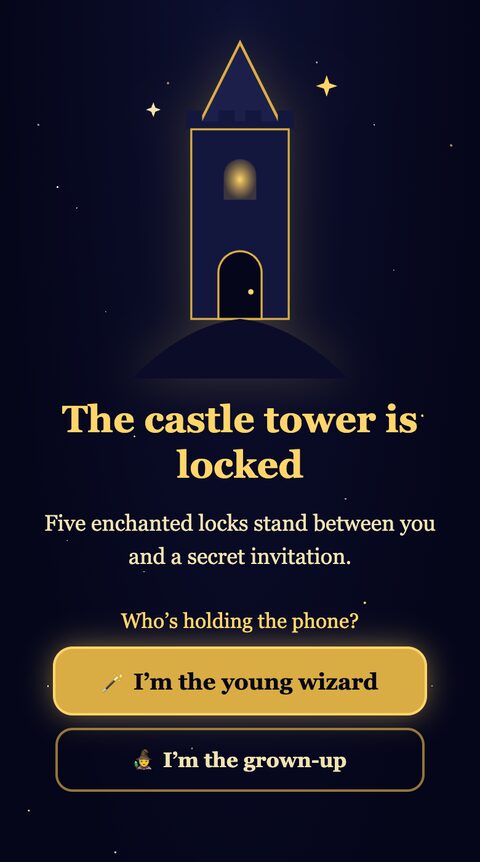
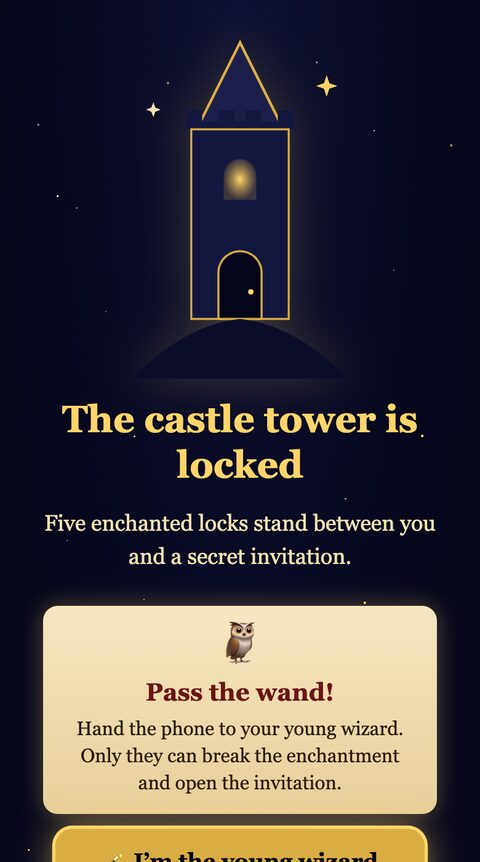
This screen didn’t exist in the first version. The original had a single “Raise your wand” button, and in testing, parents didn’t realise they were supposed to hand the phone to their kid. So the opening now asks who’s holding the phone. Kids get the game. Grown-ups get an owl that tells them to pass the wand, plus a small “Just show me the invite” escape hatch.
Lock 1: the constellation
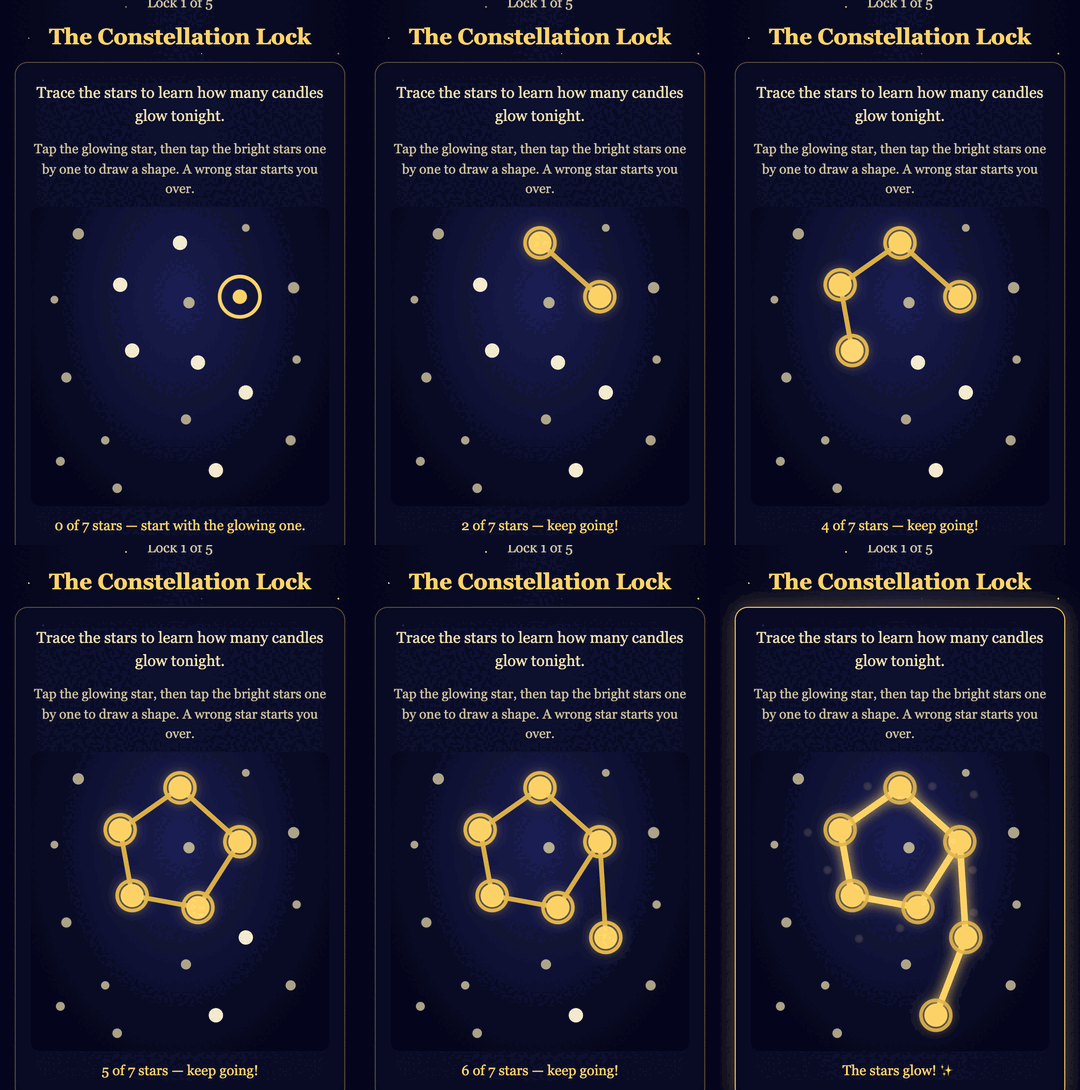
Tap the glowing star, then the bright stars in order. The shape you draw is the birthday kid’s new age. The digit comes from config, and each numeral 0-9 is defined as a list of points on a 0-100 grid, so a 10th birthday draws a “1” and a “0” with no code change. Decoy stars are scattered around, and a wrong tap just resets the shape.
This lock got a fix after testing too. The first tap lit the start star, but it looked almost the same as its pulsing “tap me” state, so kids thought nothing happened. Lit stars now grow and get a solid gold ring, and a status line counts stars (“5 of 7 stars — keep going!”).
Locks 2, 3 and 5
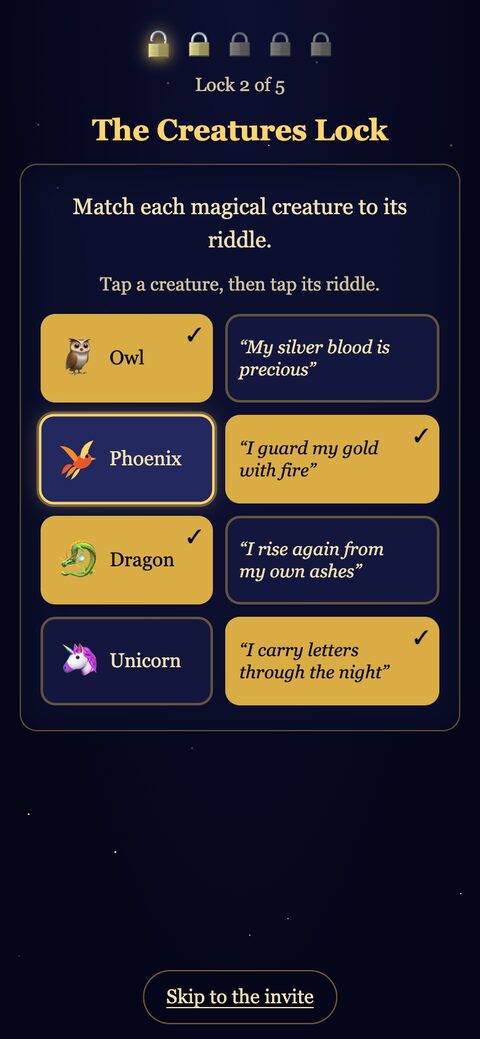
- Creatures: tap a creature, then its riddle. The phoenix is a hand-drawn SVG, because the phoenix emoji renders as an empty box on older phones.
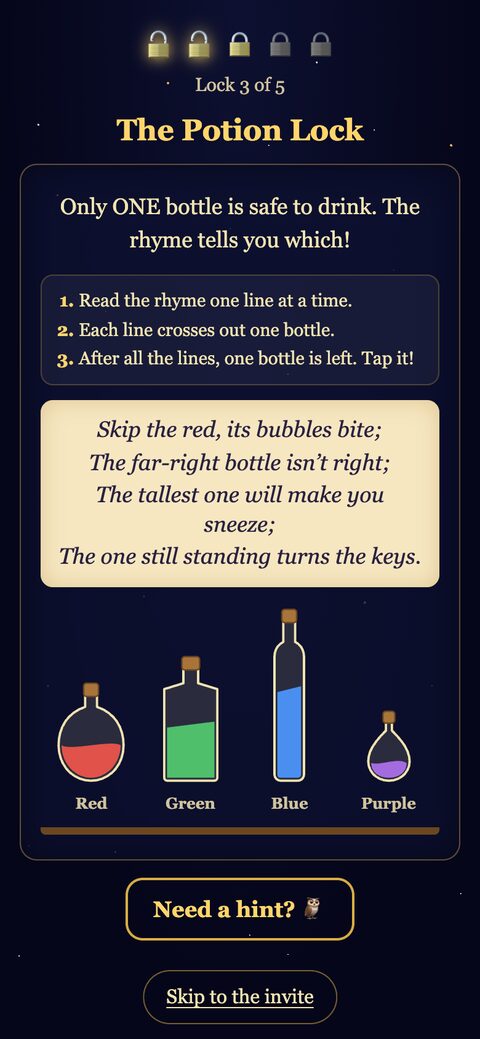
- Potion: a little logic puzzle. Each line of the rhyme crosses out one bottle, and the last one standing is safe. The rhyme is stored as data (
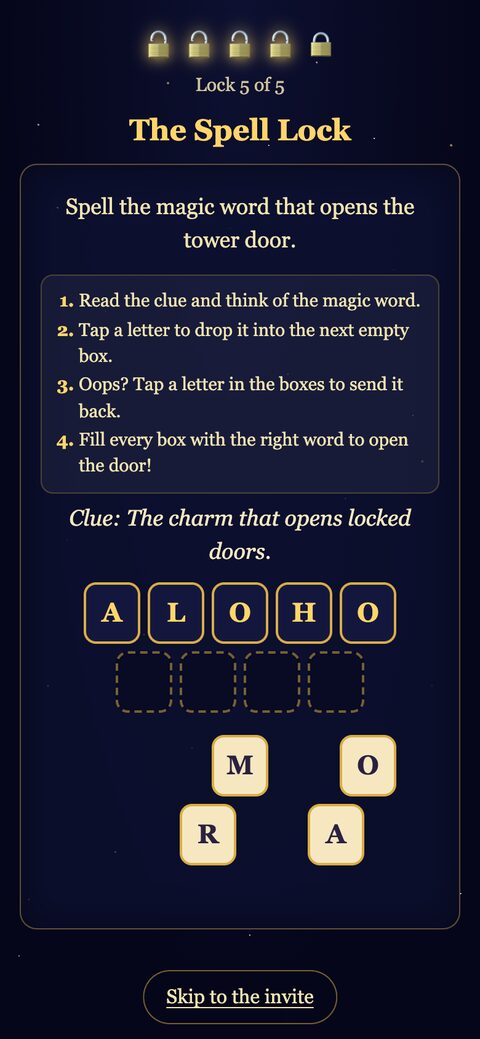
{ not: { color: 'red' } },{ not: { position: 'last' } }, …) and a test checks that exactly one bottle survives, so nobody can edit the rhyme into an unsolvable puzzle. - Spell: scrambled letter tiles. Tap one to drop it into the next empty box, tap a placed one to send it back.
Kid testers missed how the potion and spell locks worked at first, so both now have a short numbered how-to. The potion bottles also got color labels to match the rhyme.
Lock 4: invisible ink
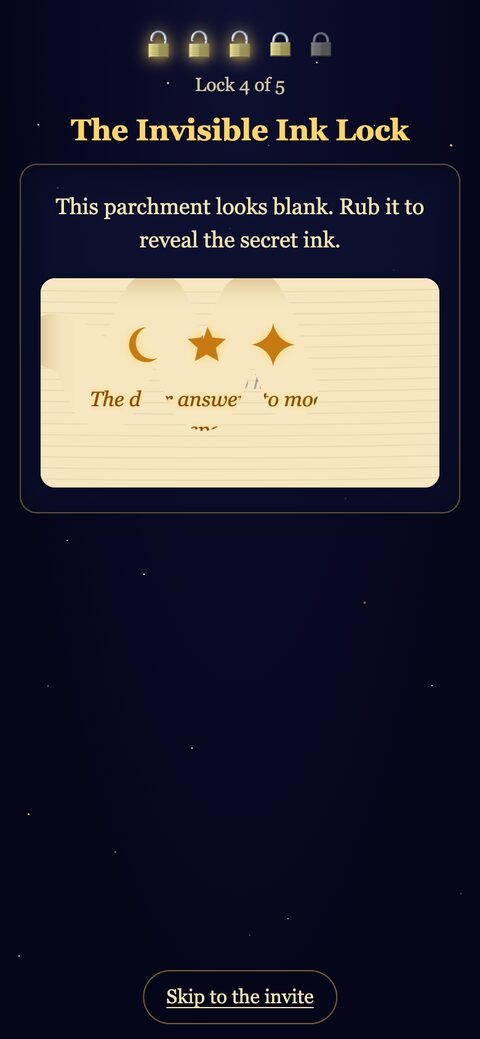
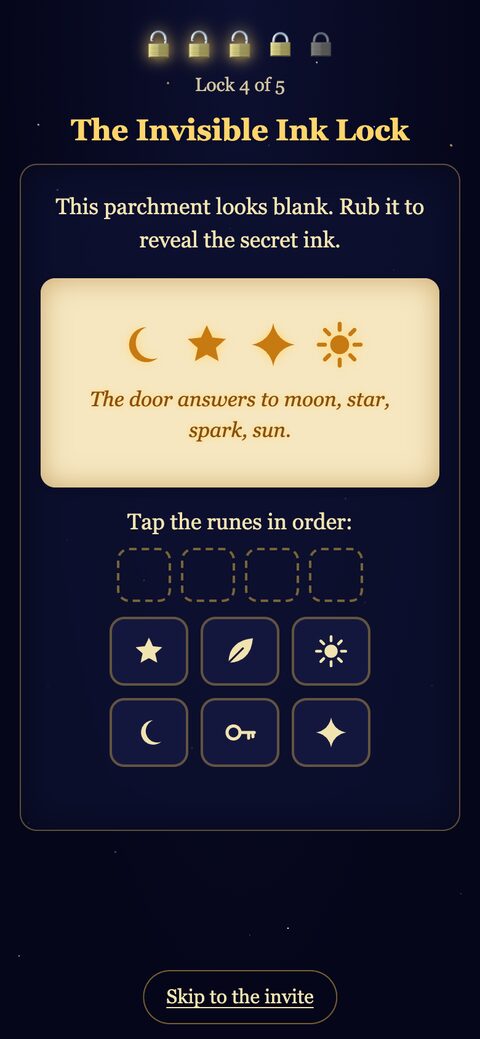
This is my favourite lock. The parchment is a <canvas> painted over the hidden message. Rubbing with a finger erases the canvas (destination-out compositing) and the glowing ink shows through. The message gives the order to tap the runes, and the key and leaf runes are decoys.
The reveal, the invite and the RSVP
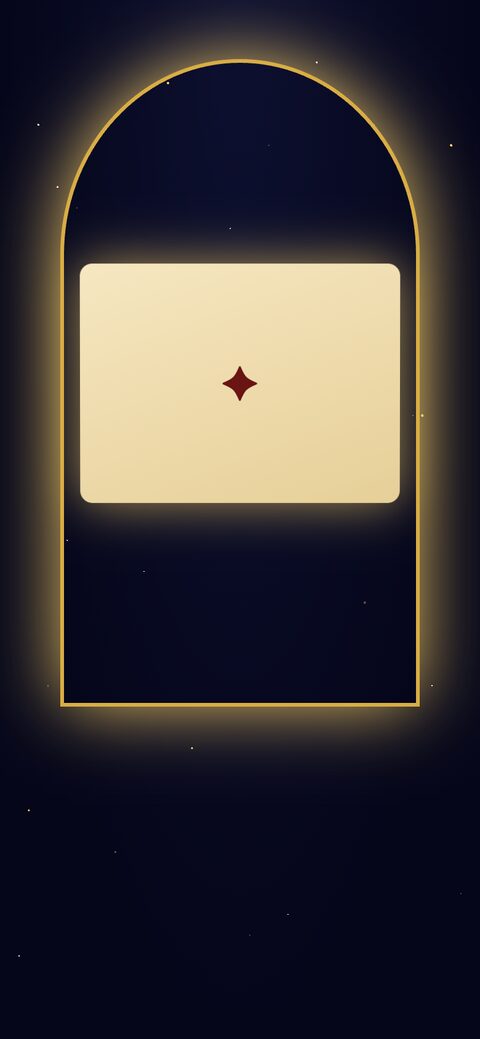
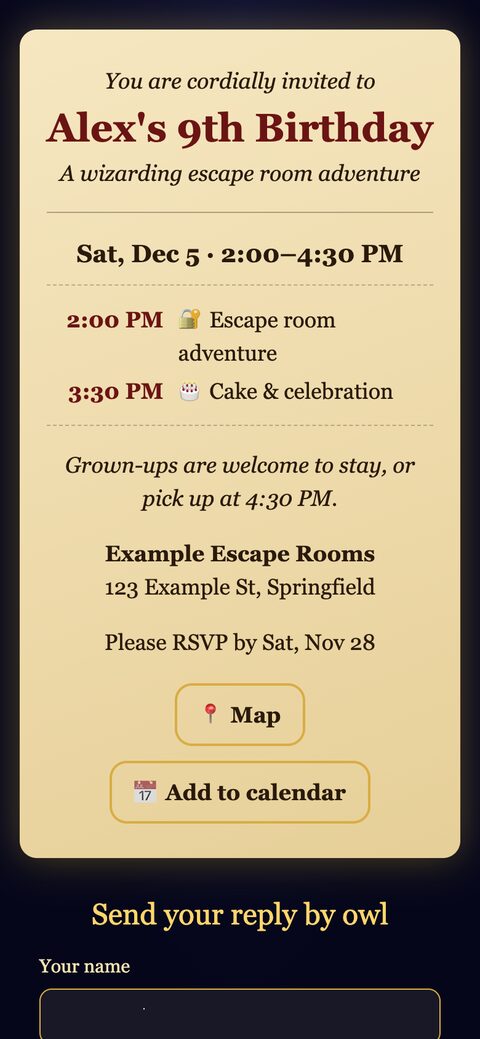
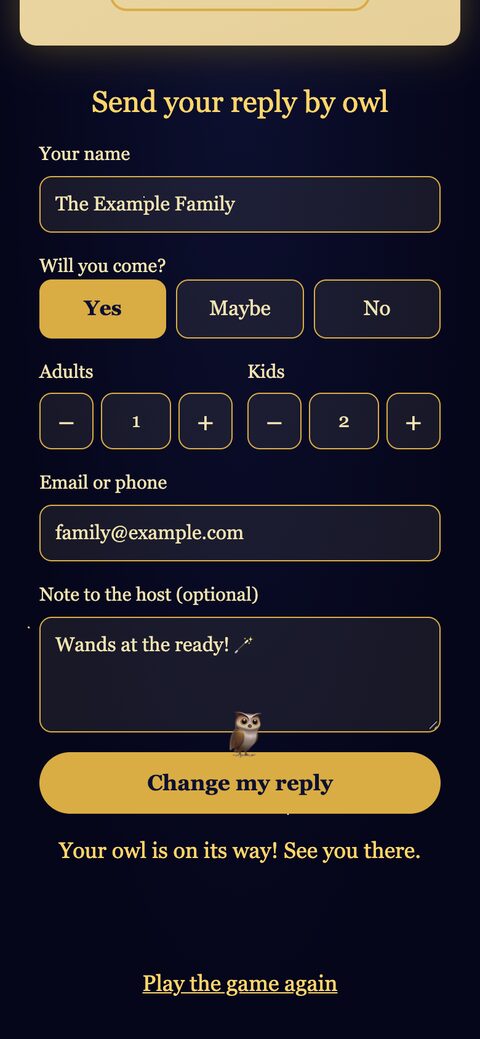
Open the last lock and the tower door swings open, a letter floats out and unfolds into the invite card: date and time, an optional party schedule, a note for grown-ups, the venue, a Map button and an Add to calendar button (an .ics file or a Google Calendar link).
Below it is “Send your reply by owl”: name, Yes / Maybe / No, adults and kids counts, an email or phone, and a note. Hit send and a tiny owl flies off.
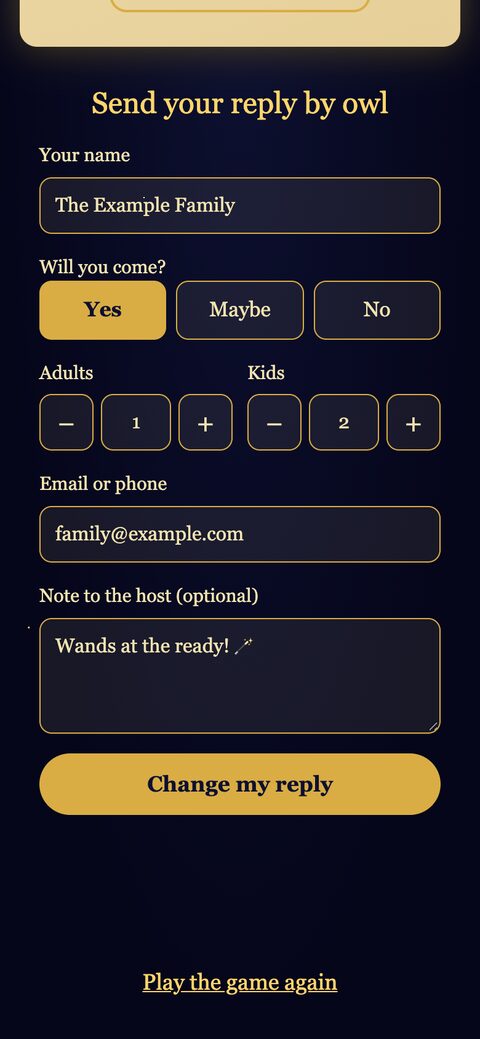
If you come back on the same phone, the site remembers you replied. It skips the game, pre-fills the form and the button reads “Change my reply”.
How it’s built
The whole thing is about 2,200 lines, and has zero npm dependencies. Just Node 20+ and the browser.
 WhatsApp link
      │
      ▼
 Vercel (static site, built from env vars)
   index.html + ES modules: game, invite, RSVP form
      │  POST /api/rsvp
      ▼
 Vercel function  api/rsvp.js
   validate · honeypot · add shared secret
      │  POST {secret, reply}
      ▼
 Google Apps Script web app
   check secret · lock · upsert row
      │
      ▼
 My Google Sheet (the "admin dashboard")
Config comes from env vars, never the repo
Every party-specific value (name, age, date, times, time zone, venue, RSVP-by date, notes, schedule) is a Vercel environment variable. The build script (scripts/build.mjs, ~50 lines) reads them, validates them, and writes:
index.htmlwith the link-preview tags filled in, so the WhatsApp card says “You’re invited to Alex’s 9th birthday · Sat, Dec 5”.config.js, which setswindow.INVITE_CONFIGfor the front end.<is escaped in the JSON so a value can never close a script tag.
Bad config fails the build loudly. A missing date, a time zone that doesn’t exist, or a schedule with too many items all stop the deploy. My favourite check: the placeholder name “Alex” is rejected in production builds, so a half-configured invite can’t go out.
For local development, a gitignored config.local.json holds the values. A small check:pii script reads it and git greps the tracked files for each real value. When it finds one, it prints only file:line, never the value itself.
The site also asks search engines to keep out: noindex on every page and robots.txt disallowing everything. The README suggests a Vercel project name that isn’t the kid’s name, since it ends up in the URL.
A game engine with no DOM
src/game/engine.js is a small state machine for the lock sequence: which lock is current, progress, the 20-second hint timer, two hint levels, wrong/solve, skip. It never touches the DOM, and the clock and timers are injected:
createGame({ locks, onFinish, onChange, now, setTimer, clearTimer, hintDelay })
That makes it trivial to test with node --test and a fake clock. Each lock is a module with a tiny contract:
{
  id: 'potion',
  title: 'The Potion Lock',
  hints: [firstHint, strongerHint],
  render(rootEl, content, { onSolved, onWrong, config }) → { destroy() }
}
Puzzle text and answers live separately in content.mjs, so a different theme later would mostly mean new content plus a couple of new lock renderers.
One small detail I liked: the hint owl is driven by a timer, but phones throttle timers in background tabs. So hintAvailable() also checks the actual elapsed time. Switch to WhatsApp for a minute, come back, and the owl is there.
RSVPs into a Google Sheet, without a database
I didn’t want accounts, a database or a third-party invite service. The host’s Google Sheet is the dashboard.
The browser posts to a Vercel function (api/rsvp.js). It:
- drops bots quietly. A hidden honeypot field named
owl_post_codegets a fake “ok” if it’s filled in. - validates the reply with the same
validateReplythe form uses. - forwards
{ secret, reply }to a Google Apps Script web app. The secret lives only in Vercel and in the script’s properties. - logs only the cause when the upstream fails, never the secret, the URL or any reply fields.
The Apps Script (~100 lines, pasted into the Sheet’s script editor) checks the secret, takes a LockService lock so two replies at once can’t trample each other, then upserts. It matches on the reply ID first. Failing that, it matches a normalized email or phone (lowercased email, digits only, leading US 1 dropped). So a family that replies again from a different phone updates their row instead of adding a duplicate. Every cell that starts with =, +, - or @ is prefixed with a ' to block spreadsheet formula injection, because “Note to host” is free text from the internet.
The upsert logic is a pure function, so the tests load Code.gs into Node and run it there too.
Small things that were surprisingly fiddly
- Calendar downloads inside in-app browsers. A Blob URL with
downloadworks in desktop Chrome and silently does nothing in iOS Safari, WhatsApp’s browser and friends. Those now get adata:text/calendarURL instead. ICS text escaping (commas, semicolons, newlines, 75-octet line folding) also needed a fix. - Apps Script deployments. Editing the script does nothing until you publish a new version of the deployment. And if the
/execURL says “You need access” in a private window, the deployment isn’t public. Both are now in the README, because both bit me. - Time zones. The party time is a wall-clock time in the party’s IANA time zone. The calendar entries convert it to UTC (with a second pass to get DST edges right), so the event lands at the right time in anyone’s calendar.
Testing
npm test runs 117 tests with Node’s built-in runner in under half a second. They cover config validation, the build output (hermetic: a temp dir and a fake env), the engine with a fake clock, each lock’s answer-checking logic, calendar generation, the RSVP validation, the API handler with a stubbed fetch, and the Apps Script upsert (Code.gs runs inside a node:vm sandbox with fake Sheet services).
The real testing, though, was kid testers on actual phones, and watching where they stalled. Three of the last commits came straight from that: a clearer constellation, step-by-step instructions on two locks, and the “who’s holding the phone?” screen. No unit test would have caught a parent playing the game themselves.
How it came together
I built this with Claude Code over a few days. The flow that worked well:
- Brainstorm and spec first. Mockups of a few looks (the “starlit castle night” won), the lock order, the RSVP fields, the privacy rules, and the anti-goals, all written into a design doc before any code.
- An implementation plan broken into small tasks: config and build, Apps Script, invite card, RSVP, game engine, then the locks two or three at a time.
- Build task by task with tests, then the fixes from real kids.
The repo is set up as a GitHub template, so another family can click “Use this template”, paste the Apps Script into their own Sheet, set a handful of env vars in Vercel and have their own wizard tower without touching code.
Next time, maybe a pirate ship. The engine doesn’t care what’s behind the door.


Comments